Send SMS, Fax and Voice by Email
Use your existing email provider to send SMS, fax and voice messages to TNZ service addresses. Keep your current outgoing email server settings.
To connect your application directly to TNZ for outbound email and channel messaging, use the SMTP Gateway guide.
Using just your email client, send SMS messages, faxes and advanced voice calls.
Any software that sends simple emails (SMTP) is supported, including Outlook, Thunderbird, Apple Mail, Office365 and mailers such as php, Blat, SendGrid, Mailgun, Amazon SES, python and many more.
Register your account
Head to https://www.tnz.co.nz/Customer/SignUp/ to create a new account.
After completing the sign up form, a sales consultant will manually activate your account. This may take one business day. Once the account has been activated, you will be able to Create a new email user.
Understanding the basics
All message types follow a simple rule:
- The email "TO" contains the recipient's number and the type of service, eg "021000001@sms.tnz.co.nz" identifies the recipient as "021000001" and the message type as "SMS"
- The email "FROM" is the sending user; this user will be charged for the message and will receive reports, replies or errors
- The email "Subject" is a free format field used for reporting
- The email "Body" contains the message to be sent
- The email "Attachments" contain any documents to be included in the message (if applicable)
On receipt of the email, the TNZ system will deliver your message. By default, the sending email address will receive a delivery report via email. These delivery reports can be customised (see Status Reporting).
Email domains for sending messages are:
- %number%@sms.tnz.co.nz (Sends SMS)
- %number%@fax.tnz.co.nz (Sends Fax - attachments only)
- %number%@faxcp.tnz.co.nz (Sends Fax - email body + attachments)
- %number%@voice.tnz.co.nz (Sends Voice)
Send messages by email
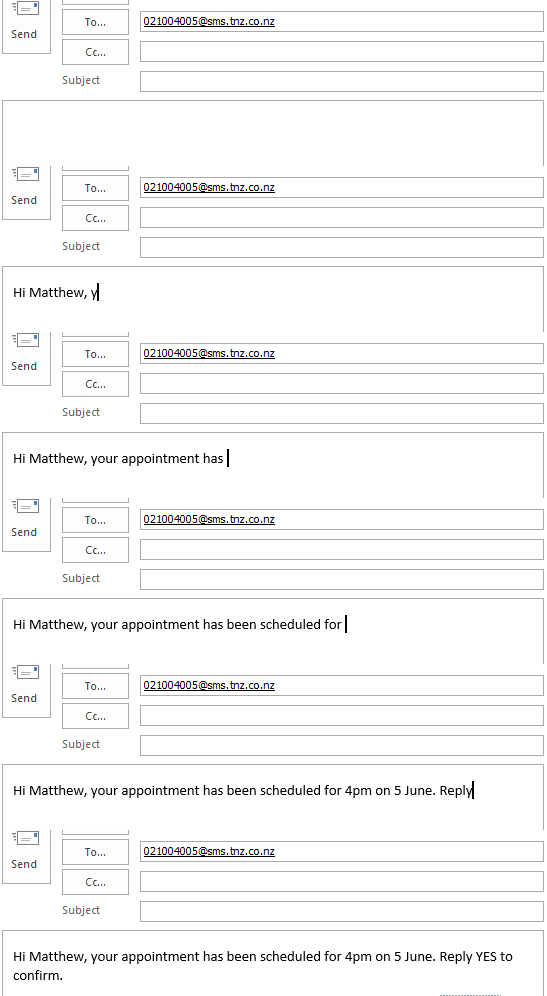
Send SMS/TXT via Email
Email Client
Programmatic (PHP)
<?php
$to = "021000001@sms.tnz.co.nz";
$subject = "Reference ID ABC123";
$txt = "Hello, this is a test message. Thank you.";
$headers = "MIME-Version: 1.0" . "\r\n";
$headers .= "Content-Type: text/plain; charset=UTF-8" . "\r\n";
$headers .= "Content-Transfer-Encoding: quoted-printable" . "\r\n";
$headers .= 'From: <myapplication@mydomain.co.nz>' . "\r\n";

mail($to,$subject,$txt,$headers);
?>
Email fields
| Field | Example Value | Description |
|---|---|---|
| Email TO | 021000001@sms.tnz.co.nz | Defines the destination mobile number and the type of service ("@sms.tnz.co.nz") |
| Email FROM | myapplication@mydomain.co.nz | Your registered email address for sending (see Creating a new email user) |
| Email SUBJECT | Reference ID ABC123 | Your message reference or Tracking ID |
| Email BODY | Hello, this is a test message. Thank you. | Plain or UTF-8 formatted message to be sent |
| Email ATTACHMENTS | Product Guide.pdf | Files to be linked using MessageLink |
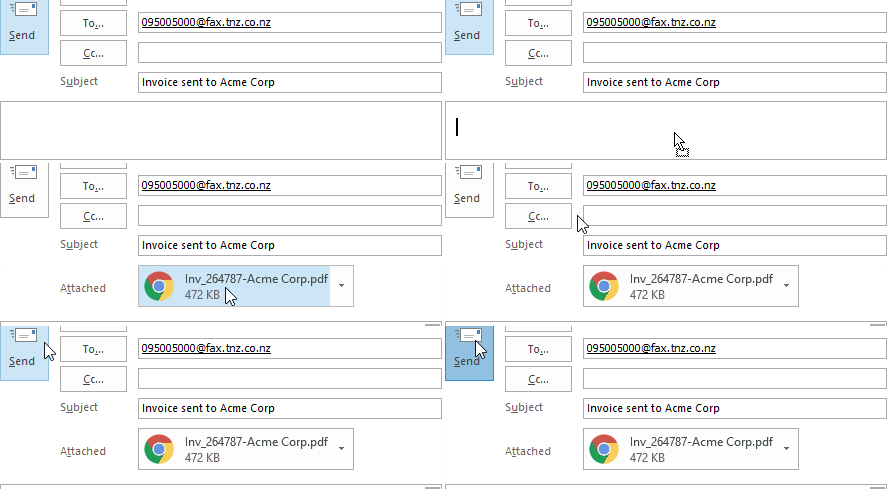
Send Fax via Email
Email Client
Programmatic (PHP)
<?php
$to = "095005000@faxcp.tnz.co.nz";
$subject = "Reference ID ABC123";
$txt = "Hello, this is a test message. Thank you.";
$headers = "MIME-Version: 1.0" . "\r\n";
$headers .= "Content-Type: text/plain; charset=UTF-8" . "\r\n";
$headers .= "Content-Transfer-Encoding: quoted-printable" . "\r\n";
$headers .= 'From: My Application <myapplication@mydomain.co.nz>' . "\r\n";
$file = "To Be Sent.pdf";
$file = "Another document.docx";

mail($to,$subject,$txt,$headers);
?>
Email fields
| Field | Example Value | Description |
|---|---|---|
| Email TO | 095005000@fax.tnz.co.nz | Defines the destination number and the type of service. Valid types are "@fax.tnz.co.nz" (ignores the email body) and "@faxcp.tnz.co.nz" (uses the email body as the fax cover page) |
| Email FROM | myapplication@mydomain.co.nz | Your registered email address for sending (see Creating a new email user) |
| Email SUBJECT | Reference ID ABC123 | Your message reference or Tracking ID |
| Email BODY | Hello, this is a test message. Thank you. | Plain or UTF-8 formatted message to be sent (if using @faxcp.tnz.co.nz) |
| Email ATTACHMENTS | To Be Sent.pdf Another document.docx |
The documents to be faxed Supported file types:
|
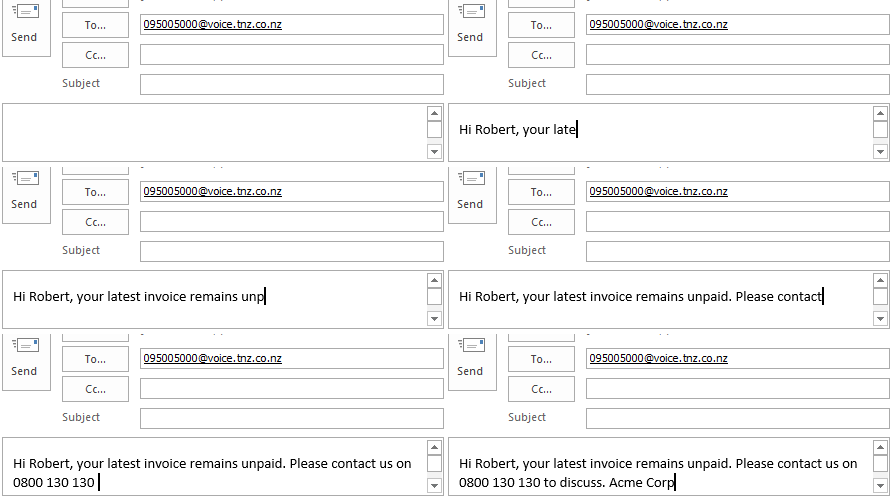
Send Text-to-Speech via Email
Email Client
Programmatic (PHP)
<?php
$to = "095005000@voice.tnz.co.nz";
$subject = "Reference ID ABC123";
$txt = "Hello, this is a test message. Thank you.";
$headers = "MIME-Version: 1.0" . "\r\n";
$headers .= "Content-Type: text/plain; charset=UTF-8" . "\r\n";
$headers .= "Content-Transfer-Encoding: quoted-printable" . "\r\n";
$headers .= 'From: <myapplication@mydomain.co.nz>' . "\r\n";

mail($to,$subject,$txt,$headers);
?>
Email fields
| Field | Example Value | Description |
|---|---|---|
| Email TO | 095005000@voice.tnz.co.nz | Defines the destination number and the type of service |
| Email FROM | myapplication@mydomain.co.nz | Your registered email address for sending (see Creating a new email user) |
| Email SUBJECT | Reference ID ABC123 | Your message reference or Tracking ID |
| Email BODY | Hello, this is a test message. Thank you. | Plain or UTF-8 formatted message to be sent |
Status Reporting
Delivery Reports advise whether delivery was successful. If not, it will describe why.
Each delivery report type is optional and multiple delivery report types can be used.
Web Dashboard
Tracking message statuses via the online dashboard
You will be supplied with a Web Dashboard login at registration. The Dashboard can be used to set up new email users, as well as track sent and replied messages. You can drill into specific messages to view individual events, such as delivery attempts, retries, replies, results, clicks, etc.
SMTP Email
Receive message statuses via email
By default, Delivery Reports are emailed to the sending email address (the EMAIL FROM).
Reports can be configured a handful of ways, eg.
- Send both SUCCESS and FAILED reports
- Only send FAILED reports
- Send all reports to a different email address
- Send reports to the Email From address, but send SMS Reply notifications to a different email address
- Send reports via Webhook (see #3 below), but send SMS Reply notifications to the EMAIL FROM address
Webhook
Message statuses delivered via a webhook
To receive Delivery Reports via Webhook, please advise the URL to submit to.
Webhooks are provided as an HTTP POST in either XML or JSON format (your preference).
Supplied parameters are:
| Parameter | Example Value | Description |
|---|---|---|
| Sender | application@domain.com | Webhook sender authentication (can configure a unique Sender if required) |
| Token | ta8wr7ymd | Webhook token authentication (can configure a unique Token if required) |
| Type | SMS | Type of Message ('Email', 'SMS', 'Fax', 'Voice', 'TextToSpeech', or 'SMSReply') |
| Destination | +6421000001 | Destination that the webhook is for (alphanumeric field, where telephone/mobile numbers are supplied in E.164 internationalised format) |
| MessageID | js82hn8n | MessageID parameter supplied when sending your original API call |
| JobNumber | 10C7B9A0 | Eight digit alphanumeric tracking number (our internal Job Number) |
| SentTime | 16/10/2018 13:43 p.m. | Time message was completed (Sender's local time time in 'dd/MM/yyyy HH:mm tt' format) |
| Status | SUCCESS | For submission results, values are SUCCESS, FAILED, PENDING For reply reports, this will be RECEIVED For additional analytics, this will be UPDATED |
| Result | Sent OK | Final delivery result and/or the cause for a message delivery failure For reply reports, this will be RECEIVED For additional analytics, this will be the event description |
| Message | This is a reply. | This field will only contain data if 'Type=SMSReply' |
| Price | 0.20 | Your cost for this transaction, charged by us to you |
| Detail | SMSParts:2 | Additional billing detail: "SMSParts", "FaxPages", "VoiceMinutes", "Size", "Prompts" |
GET Status Poll
Track message statuses using a GET poll
API users are able to poll for the status of a message via the GET Status API, as well as capture any SMS replies received.
The GET Poll options are described in the REST API guide:
| API Name | Description |
|---|---|
| GET Status Poll | Poll for the delivery status of an outbound message (tracked using the MessageID, applies to all message types) |
| GET Inbound SMS Poll | Poll for a list of all SMS received in a given time-frame |
| GET Received Poll | Poll for replies to a specific outbound SMS message (tracked using the MessageID) |
Frequently Asked Questions
Can messages be sent internationally?
Yes, full international delivery is supported.
Is there a maximum request size?
The maximum request size is limited by your sending email server. This is typically around 25MB.
What filetypes are supported for Fax?
You can send a wide range of file types, including Microsoft Office® documents (doc, docx, ppt, pptx, xls, xlsx, etc), Openoffice/Libreoffice documents (odt, ods, etc), Adobe® documents (pdf, etc), image file types (jpg, gif, tif, bmp, etc) and more (txt, html, etc).
When I send SMS messages, the text is cut off at 160 characters. Why?
SMS messages are sent and charged in blocks of characters. One text message is 160 characters. By default, we will limit your message to three-message-parts in length (459 characters using the GSM character set, or 210 characters using Unicode/UCS-2). This can be increased on request. See the SMS Message Parts and Concatenated SMS guide for further information.
In addition to the Delivery Report methods listed above, am I able to receive a daily or monthly summary?
Yes, we can provide a daily or monthly email report (as an attached CSV file) containing data on messages sent. This can be used for billing (contains costs) or for reporting (doesn’t contain costs).
Is HTTPS, SSL, or TLS supported?
Yes, encrypted submissions are accepted using TLS (STARTTLS).
Can I set the Caller ID on SMS, Fax and TextToSpeech messages?
Some networks support customised SMS Caller IDs. This can be configured using your Web Dashboard.
Your Fax Caller ID can be configured using your Web Dashboard.
Your Voice and TextToSpeech Caller ID is specified on a per-message basis using the 'CallerID' parameter.